Hello friends, if you are looking for the Debutify Shopify Theme free download on the internet, then you have come to the right page. Here we are providing you with a 14-day free trial of the Debutify theme without providing any credit card details.
Simply visit the Debutify website using our link and choose any paid subscription plan. If you want to know more details, like how to download and install this theme in your Shopify store, then please read further.
How to Download and Install the Debutify Shopify Theme?
The world’s best-converting Shopify theme, Debutify, isn’t available in the Shopify app store for download. To start a free trial of Debutify, please follow our step-by-step guide:
- Go to the Debutify website by clicking the button below.
- Click on the Free Download Now button.
- Enter your Shopify domain.
- You can download and customize the theme.
- Click on the Choose Plan Now button at the top.
- Choose your preferred plan – Free, Starter, Hustler, or Master.
- Choose your billing cycle and enter your billing details.
- Click on the Start Plan button.
Note: No need to use any Debutify coupon code.
How to install the Debutify theme manager
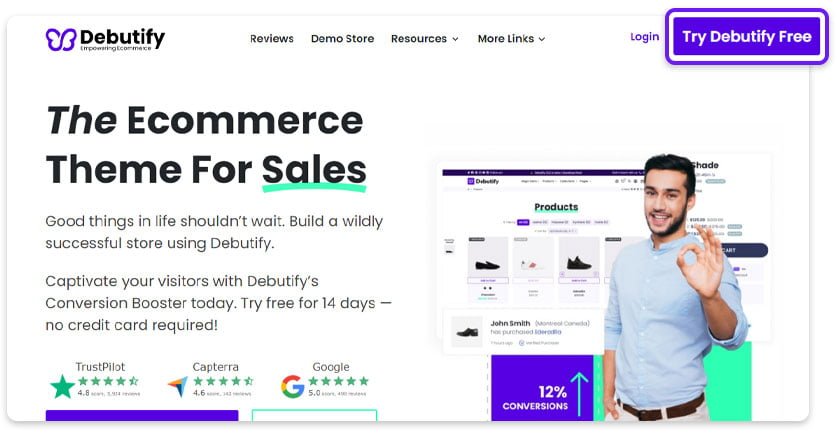
Step 1: Visit the Debutify website and click on the Try Debutify Free button.
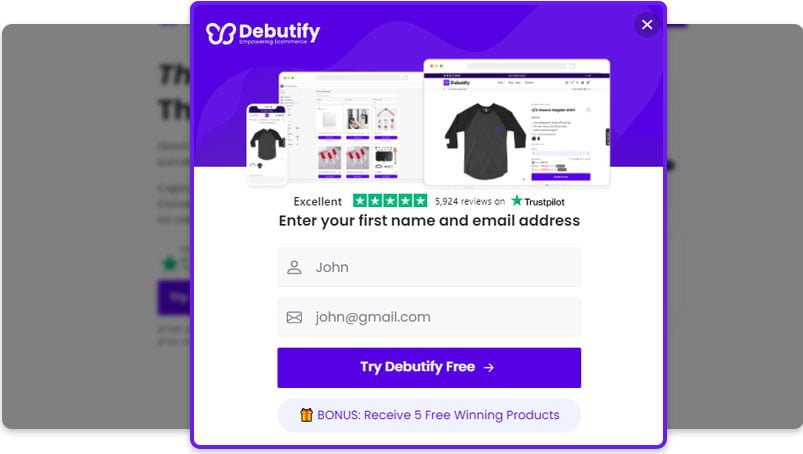
Step 2: Enter your name and email address, and click on the Try Debutify Free button.
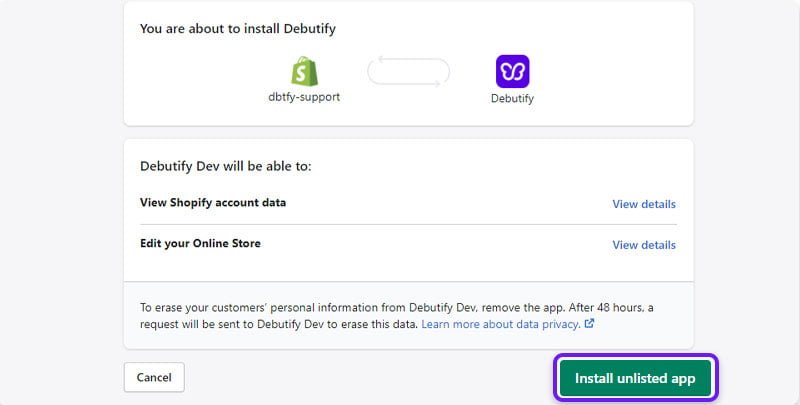
Step 3: The page will redirect to your Shopify account, where you will need to click on Install unlisted app.
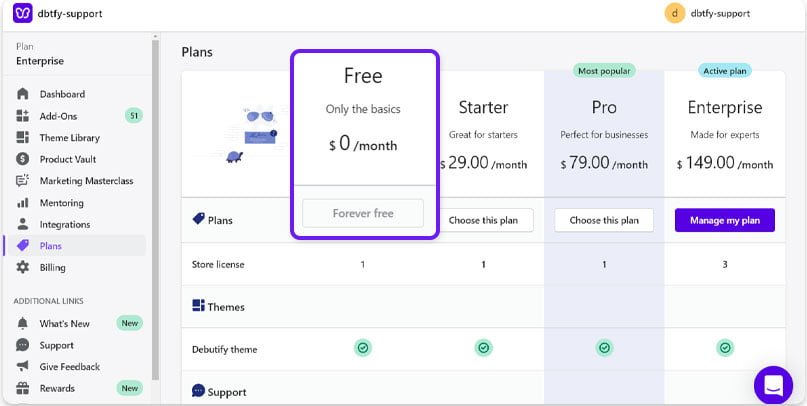
Step 4: By default, the Forever Free plan is selected. You can choose a plan to trial or continue using the free plan.
How to install a Debutify Theme?
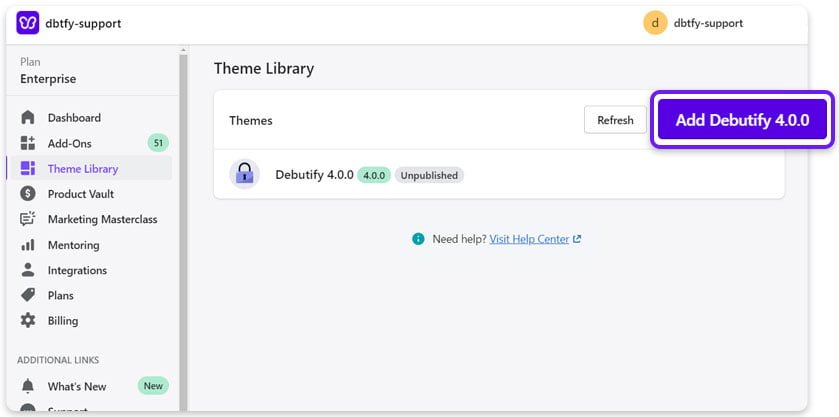
Step 1: In the admin panel, click on Theme Library and select the theme to add.
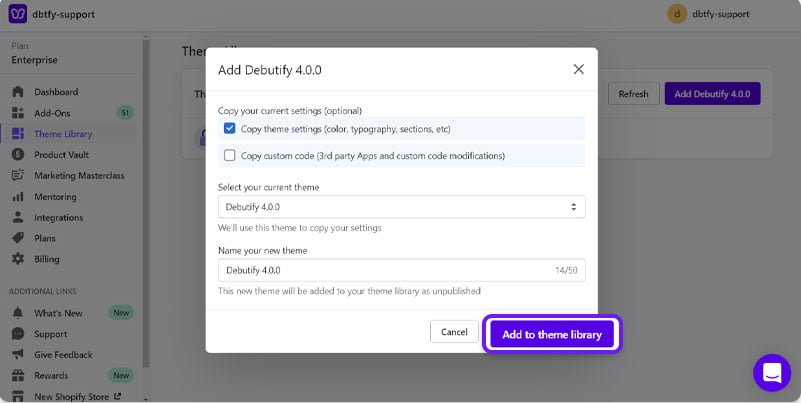
Step 2: If you are migrating from another theme, copy the theme settings and custom code. Click on Add to Theme Library to install the new theme.
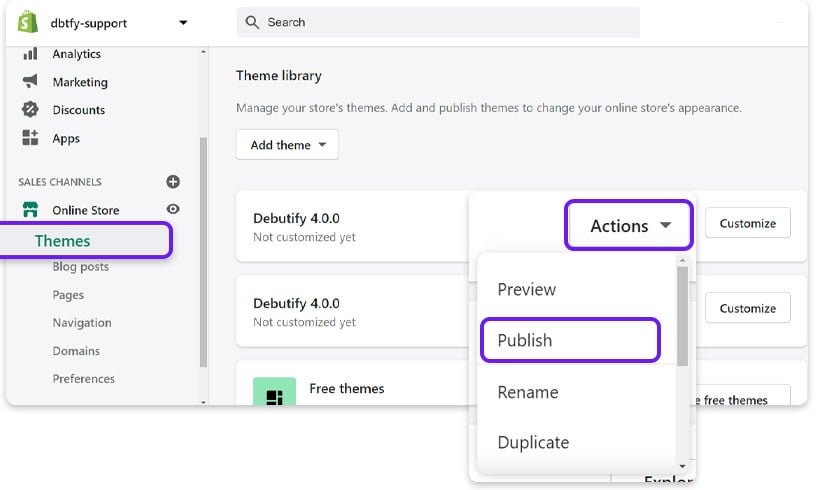
Step 3: In the Shopify admin, click Online Store, then Themes to view the list of installed themes. Click on Actions, then Publish.
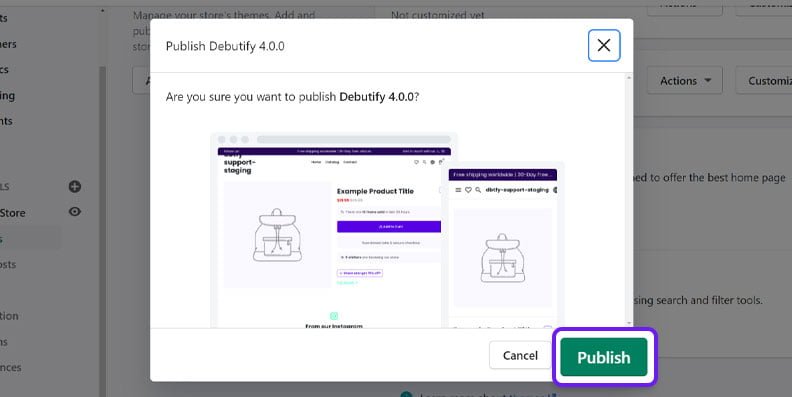
Step 4: Click on Publish to apply changes.
How to Cancel My Debutify Subscription?
- Click on Plans and then Manage My Plan on the Debutify app.
- Select the Delete subscription option.
- If you wish to cancel your membership, click “Yes, take me to the cancellation page.”
Frequently Asked Questions – Debutify Shopify Theme Free Download
Is Debutify Free?
Yes, Debutify provides a free plan and a 14-day free trial for the Enterprise Plan. Debutify’s 14-day free trial will give you a taste of what it can do. You’ll have full access to all the conversion-focused add-ons that may drastically boost your earnings.
Is Debutify a Shopify Theme?
Debutify is one of the most popular Shopify theme-building applications. In comparison to Shopify’s own platform, Debutify allows Shopify merchants to customize their themes far more easily. Despite not yet being available in the Shopify app store, Debutify has already started operating successfully.
How to activate the Enterprise trial?
Once the Debutify theme has been installed in Shopify, the Enterprise trial will begin automatically.
What is the purpose of the enterprise trial?
It provides an overview of the theme’s capabilities and add-ons.
What happens at the end of the trial?
After the 14-day trial period expires, you’ll be immediately downgraded to the free, most basic plan. You can upgrade to a paid subscription at any time during or after your free trial from the payment page. You may also participate in challenges and win a free month of trial time.