
- All
- Deals
- Coupons
- Sales
What Is Stellar — Company and Product Overview
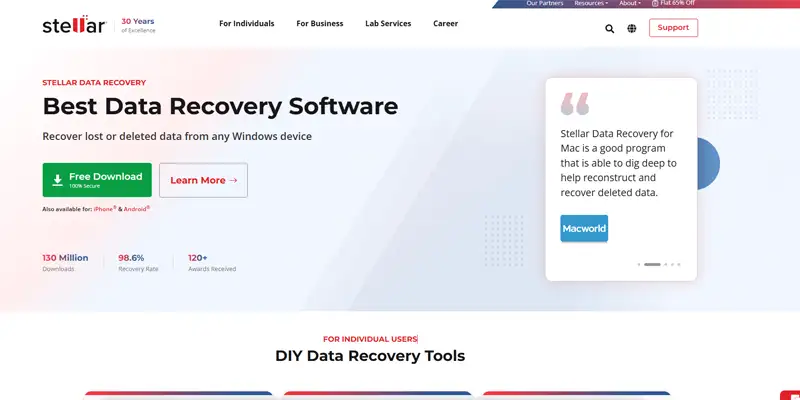
Image: Stellarinfo.com
Stellar Information Technology Pvt. Ltd. is an Indian software company founded in 1993, now headquartered in New Delhi with offices in the US, Canada, and Europe. On its website, Stellar boasts over 3 million users and a claimed 98.6% recovery rate. They have been developing data recovery and utility software for over 25 years and are one of the most widely distributed brands in this category — available through Amazon, Walmart, Best Buy, and directly through stellarinfo.com.
Stellar's product range covers five distinct categories — data recovery, file repair, data erasure, email conversion, and iPhone/Android tools. With 26 deal cards on this page covering different products across these categories, understanding which tool addresses your specific situation before applying a coupon is essential.
Stellar Product Lineup — What Each Tool Does
Data Recovery Tools
Stellar Data Recovery for Windows — Standard, Professional, Premium
Stellar Data Recovery is available for both Windows and Mac systems and supports a wide range of file systems, including NTFS, FAT16, FAT32, exFAT, APFS, HFS+, and Ext2/3/4 for Linux drives.
The three Windows editions differ primarily in what scenarios they handle:
- Standard — recovers deleted, formatted, and lost files from hard drives, SSDs, USB drives, and memory cards. Covers photos, videos, documents, audio, and email files. Best for straightforward accidental deletion and simple formatted drive recovery
- Professional — adds RAID recovery, recovery from crashed/unbootable Windows systems via a bootable recovery USB, and the ability to create byte-to-byte disk images before recovery. Best for IT professionals and severe data loss scenarios
- Premium — adds repair for corrupted photos and videos on top of everything in Professional. Best for photographers and videographers who need both recovery and repair in one tool
Stellar Data Recovery for Mac
Covers the same scenario types as the Windows version but for macOS, supporting APFS, HFS+, and HFS file systems. The Mac version includes some extra tools like a large file finder, duplicate cleaner, and a SpeedUp Mac utility — these come bundled with the Professional tier and above.
⚠️ Free version limitation — critical pre-purchase information: The free version only recovers 1GB of data — you don't really know what will be fully recovered unless you buy the full program. The free scan shows you what is recoverable, but activation is required to actually save files beyond 1GB. Always run the free scan first to confirm your specific lost files appear as recoverable before purchasing.
Stellar Photo Recovery specifically focuses on recovering deleted or formatted photos, videos, and audio files from memory cards, cameras, and storage devices. 10% off deal card available above. Best for photographers recovering accidentally deleted or formatted memory cards.
Stellar iPhone Data Recovery (Windows and Mac) Recovers deleted contacts, messages, photos, call history, and app data from iPhones and iPads. Works from three sources: directly from the iOS device, from iTunes backups, and from iCloud backups. 10% off deal cards for both Windows and Mac versions are available above.
Stellar Data Recovery for Android Recovers deleted photos, contacts, messages, and call logs from Android devices. 20% off deal card available above. Note: Android recovery tools depend heavily on device model and root status — verify your specific Android device is supported on stellarinfo.com before purchasing.
File Repair Tools
Stellar Repair for Outlook Repairs corrupted PST and OST files — Microsoft Outlook's data files — restoring access to emails, contacts, calendars, and attachments after Outlook corruption or migration failures. 10% off deal card above.
Important context from Capterra: one verified reviewer documented that Stellar Repair for Outlook failed to recover calendar and contacts folders, creating hundreds of empty email folders named MS-ALK-BGP that required manual removal. After a week of emails, Stellar agreed to a remote download session but declined a refund. Run the free trial to confirm your specific PST file type and corruption scenario is recoverable before purchasing.
Stellar Repair for Excel Repairs corrupted .xls and .xlsx Excel spreadsheet files, restoring data, including charts, formulas, cell formatting, and worksheets. 10% off deal card above.
Stellar Repair for Video Repairs corrupted or damaged video files across multiple formats, including MOV, MP4, MKV, AVI, FLV, and others. Works on videos from DSLRs, GoPros, drones, and smartphones. 10% off deal card above.
Data Erasure Tools
Stellar File Eraser (Windows and Mac) Permanently deletes files beyond recovery — using overwrite algorithms that prevent forensic recovery. 10–15% off deal cards above. Useful for individuals and businesses disposing of hard drives or selling computers while ensuring personal data cannot be recovered by the next owner.
Stellar iPhone Eraser Permanently erases all data from iPhones and iPads before resale or disposal — beyond what a standard factory reset achieves. 10% off deal card above.
Email Conversion Tools
Stellar Converter for OST Converts orphaned or inaccessible OST files (Outlook offline data files) to PST format — typically needed when an Exchange server is decommissioned or when a user's Outlook profile becomes corrupted. 10% off deal card above.
Bundle Deal
Stellar Special Bundle — 75% Off The 75% off bundle deal card above covers Stellar's specially bundled product packages — the deepest discount available on this page. If you need multiple Stellar tools, this is the most cost-effective purchase available.
How to Apply a Stellar Coupon Code
- Click "Show Code" on the deal card above to copy your discount code.
- Click "View Deal" — this opens the specific Stellar product page directly.
- Select your licence type — monthly, annual, or lifetime — and click "Buy Now."
- At the checkout page, look for the "Coupon Code" or "Promo Code" field below the order summary. Paste your code and click Apply — the discounted price updates immediately.
- Fill in your email address and complete payment via credit card, PayPal, or other available methods.
- Your licence key is delivered by email. Download the full software from stellarinfo.com using your registered email.
Before purchasing: Run the free version first — scan your drive and preview recoverable files to confirm your specific data appears recoverable. The 1GB free recovery limit lets you verify the software works for your scenario before committing money.
For the latest verified data recovery and PC security software deals, browse all current offers on CouponGod.
Other Ways to Save on Stellar
The 75% off bundle is the strongest deal on this page. If you need two or more Stellar products — for example, Data Recovery plus Repair for Video, or Data Recovery plus File Eraser — the bundle deal at 75% off provides far better value than individual purchases at 10% off each.
Annual vs lifetime licences: Given the subscription-based model, consider whether a lifetime licence is available for your chosen product — particularly for tools like Stellar File Eraser or Photo Recovery that you might use repeatedly over time. Lifetime licences appear occasionally in Stellar's promotional deals — check the deal cards above for any current lifetime offers.
Student discount: Stellar offers approximately 20% off for verified students through the Student Beans platform. If you are a student, verify your status through Student Beans before purchasing to access this additional discount on top of standard codes.
Black Friday and seasonal sales: Stellar runs its deepest annual promotions during November's Black Friday window, sometimes exceeding 60% on flagship products. I maintain a Black Friday data recovery software sale page updated each year — worth checking if your purchase can wait.
Stellar Refund Policy and Support
Refund policy: Stellar offers a 30-day money-back guarantee on annual and lifetime licences, and a 7-day guarantee on monthly subscriptions. Review the current terms directly at Stellar's official refund policy before purchasing — the documented refund dispute cases above make it worth confirming the specific conditions for your product.
Important: If the software fails to recover your data and Stellar declines your refund request, contact your credit card issuer directly. Multiple documented cases confirm this as a viable resolution path.
Support channels:
- Email: support@stellarinfo.com
- Phone: +1-877-778-6087 (US toll-free)
- Live chat: available on stellarinfo.com
TechRadar's live chat test found Stellar's support team responsive — connected with a knowledgeable agent within a minute during testing. Phone support is available worldwide, but in English only. A comprehensive knowledge base with step-by-step recovery guides is available on stellarinfo.com.
Frequently Asked Questions About Stellar Coupons
Is there a free version of Stellar Data Recovery?
Is Stellar Data Recovery safe to use?
Does Stellar work on both Windows and Mac?
Which Stellar edition do most users need?
Why does Stellar offer so many separate products?
Can I use a Stellar coupon on a subscription renewal?
What should I do if Stellar fails to recover my files?
Compare Stellar With Similar Data Recovery Tools on CouponGod
Looking for verified discount codes on other data recovery and file utility tools? These pages cover the most relevant alternatives:
- PassFab Windows Recovery Tool Deals — Windows password recovery alongside file password tools; complements Stellar's data recovery focus
- Revo Uninstaller Pro Seasonal Deals — Windows program removal and cleanup; pairs with Stellar File Eraser for complete data management
- IObit Advanced PC Cleanup Offers — PC optimization suite; complements Stellar's repair tools for Windows maintenance
- MagFone iPhone Backup Unlocker Codes — iOS data access tools; alternative approach to Stellar's iPhone Data Recovery
- Wondershare Recoverit Data Recovery — a direct alternative to Stellar Data Recovery with a comparable feature set
- EaseUS Data Recovery Discount Codes — direct alternative, user-friendly interface; comparable pricing
- AOMEI Backupper Disaster Recovery — proactive backup and system image tool; prevents data loss before it happens
- All Data Recovery Software Coupons — every verified data recovery and file utility deal on CouponGod
- Black Friday Data Recovery Software Sale — deepest annual discounts on Stellar and competing data recovery tools
