

- All
- Deals
- Coupons
- Sales

Deal
GetMyDrivers Offer: Optimize Your PC Instantly (Free Download)
Show next
How to Download and Install GetMyDrivers Software
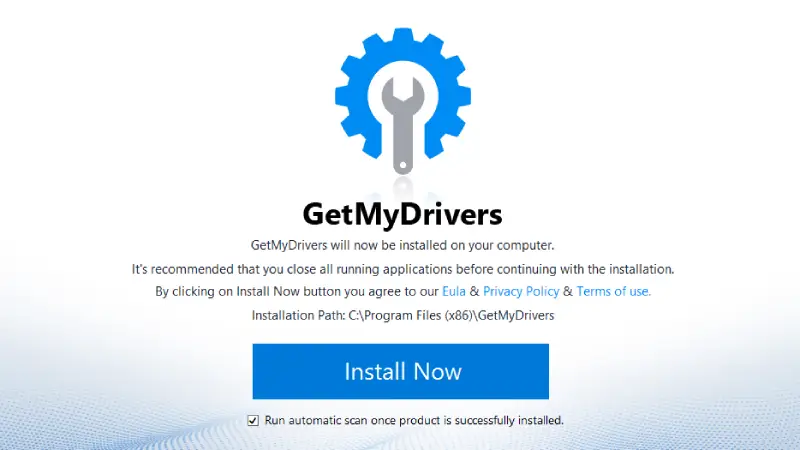
Image: GetMyDrivers
Step-by-Step Guide
- Visit the Website: Go to the GetMyDrivers website and click on the "Download for Free" button on the homepage banner.
- Download and Install: Once the software downloads, click "Install Now." Make sure to enable "Run automatic scan once product is successfully installed."
- Optional Browser Protection: You'll have the choice to install "Free Browser Protection." Click "Install Extension" if you want it, or "Decline" to skip.
- Automatic Scanning: The software will immediately start scanning your computer for outdated drivers.
- Update or Upgrade: You'll be prompted to "Manual Update" or upgrade to a premium plan.
- Driver Updates: View the list of outdated drivers and update them manually with ease.
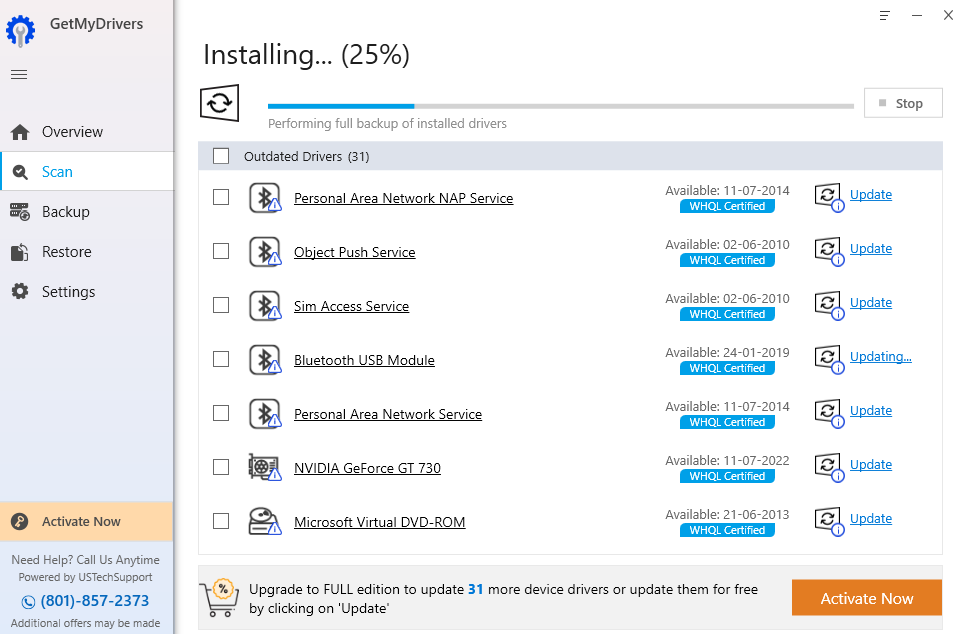
Image: GetMyDrivers
Premium Plan Details
Opt for the premium 1-year license for 1 PC at $39.95 for the first year, with a renewal price of $49.95. This includes unlimited LiveTech 24/7 technical support. The first month is billed at $0 instead of $19.95.
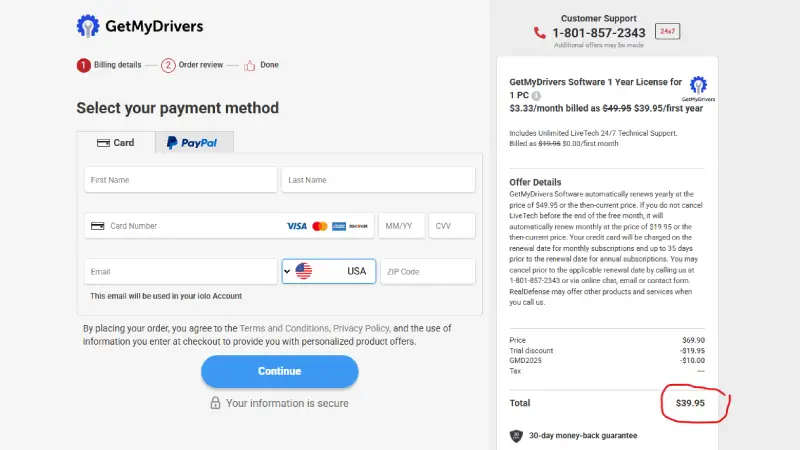
Image: GetMyDrivers
