

- All
- Deals
- Coupons
- Sales
What Is Backuptrans — Company and Product Overview
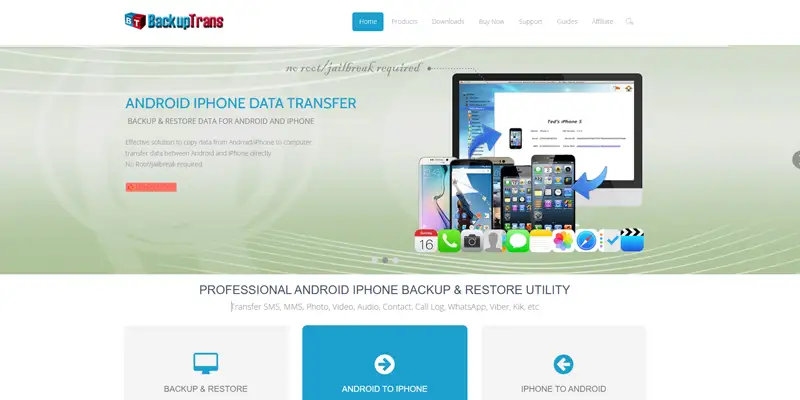
Image: backuptrans.com
Backuptrans is a program developer specializing in phone management and data transfer tools. It offers products for iPhone and Android SMS backup and restore, WhatsApp transfer between platforms, iTunes backup extraction, contacts backup and restore, and LINE chat migration.
Backuptrans is an advanced tool designed to help users transfer, back up, and restore various types of data, such as WhatsApp messages, SMS, contacts, photos, and more. It creates secure local backups of phone data, avoiding reliance on cloud services and ensuring sensitive information remains on your computer.
Backuptrans products are desktop applications you install on a Windows PC—your phone connects via a USB cable, and the transfer happens through the computer. This local-first approach means your data never passes through third-party cloud servers during the transfer process.
Windows-only — critical pre-purchase information: Backuptrans is only compatible with Windows 10 and earlier versions. Mac users are not currently supported across any Backuptrans products. If you use a Mac as your primary computer, Backuptrans' products are incompatible with your system.
Before purchasing — free alternative check: Apple provides an official iPhone data migration guide covering the Quick Start method for switching between iPhones. For WhatsApp specifically, WhatsApp's own in-app transfer feature supports Android-to-iPhone migration directly without third-party software for accounts active on supported OS versions. Check whether the built-in transfer method covers your specific scenario before purchasing.
Backuptrans Product Breakdown — What Each Tool Does
Backuptrans sells individual tools for specific transfer scenarios rather than one all-in-one bundle. Understanding which product addresses your exact situation prevents purchasing the wrong tool.
Backuptrans Android WhatsApp to iPhone Transfer — $24.95
Backuptrans Android WhatsApp to iPhone Transfer allows you to transfer WhatsApp chats from Android to iPhone directly without other drivers. It extracts documents and media files as well as chat history. You can transfer the WhatsApp history of a specified contact to another phone. Local WhatsApp messages can be exported to iTunes.
Backuptrans seamlessly migrates WhatsApp conversations — including text, images, videos, and emojis — across platforms without any hassle.
Critical pre-purchase note on compatibility: The Android WhatsApp Transfer tool is designed specifically for Android devices. To transfer WhatsApp data to an iPhone, you need the specific cross-platform version — not the Android-only edition. Confirm the exact product version before purchasing to ensure it covers your specific phone combination.
30% off deal card above reduces this to approximately $17.47.
iPhone Data to Android Transfer — $29.95
Transfers data from an iPhone to an Android device — covering contacts, messages, photos, and call logs. Works via USB connection through a Windows PC.
The transfer includes preview capability before finalizing—allowing you to see what will transfer and make selective choices before the process completes.
30% off deal card above reduces this to approximately $20.97.
LINE Chat Transfer Online Service — $34.95
Transfers LINE chat history between Android and iOS devices. LINE's built-in transfer tools have limitations — this standalone product is specifically for users who need to move LINE conversation history between platforms during a phone switch.
30% off deal card above reduces this to approximately $24.47.
iPhone SMS + MMS to Android Transfer — $24.95
Transfers text messages and MMS from iPhone to Android. Covers SMS history, including multimedia messages with embedded photos and videos.
Other Products in the Backuptrans Range
Backuptrans also offers tools for:
- Android/iPhone Contacts Backup and Restore — exports and restores contact databases
- iTunes Backup Extractor — recovers data from iTunes backup files on your computer
- Android/iPhone SMS Backup and Restore — creates local backups of text message history
- WhatsApp Backup and Restore — separate from the transfer tool; creates restorable local backups
Each product is sold individually. The 30% off coupon from the deal card above applies across Backuptrans' product range — confirm at checkout which products are eligible.
How Backuptrans Works — Step-by-Step Process
Understanding the transfer workflow before purchasing prevents frustration with the two-step process that some users find less intuitive than expected.
Backuptrans first requires backing up WhatsApp data from Android to the computer, then transferring from the computer to the iPhone—unlike some direct transfer tools that handle both steps in one operation.
The standard transfer process:
- Install Backuptrans on your Windows PC. Connect your Android device via a USB cable.
- Launch the software — it detects your connected device automatically.
- Initiate the backup — Backuptrans backs up your WhatsApp, SMS, or other data from your Android device to your computer. During the backup process, the software requires that an additional companion app be installed on the Android device, and a Google Drive account must already be linked to the device.
- Connect the destination device — after the backup completes, connect your iPhone or target Android.
- Transfer from computer to device — Backuptrans pushes the backed-up data to the new device.
You can view the progress from the on-screen indicator and make sure that both phones stay connected to the system until the end.
Important timing note: Backuptrans can take a significant amount of time to load WhatsApp data and complete the transfer. Plan for the process to run uninterrupted — keep devices connected and the PC on throughout.
Free Version — What It Covers Before You Buy
Backuptrans provides a complimentary version that permits the transmission of up to 20 messages and offers restricted functionality, making it an excellent trial option before committing to a purchased license.
The free version is the correct first step — it lets you:
- Confirm your specific device models are detected and compatible
- Test the interface workflow before paying
- Verify that your WhatsApp backup is accessible by the software
- See whether the 20-message preview shows your data correctly
If the free version successfully detects your devices and shows your data, the paid version will complete the full transfer. If device detection fails in the free version, the paid version will not resolve the compatibility issue—contact Backuptrans support before purchasing.
Honest Assessment — Strengths and Real Limitations
Genuine strengths:
Backuptrans creates localized backups of phone data, avoiding reliance on cloud services and ensuring sensitive information remains secure on your computer — not on third-party servers. For users with privacy concerns about cloud-based transfer services, this local-first approach is a genuine differentiator.
The software allows a preview before transfer — you can see WhatsApp chats and selectively choose what to transfer rather than moving everything indiscriminately.
Backuptrans supports backing up and restoring WhatsApp data on iPhone or Android, detecting the presence of existing WhatsApp backups, and allowing restoration without starting fresh.
The 30-day money-back guarantee provides meaningful risk mitigation given the technical nature of the product — a 30-day window is sufficient to complete a transfer and confirm the output is accurate.
Verified user feedback is available at Backuptrans' Trustpilot reviews. The Mobikin independent Backuptrans review provides a thorough feature-by-feature assessment.
Real limitations to know before buying:
Complicated interface — the most consistently documented usability concern: The interface of Backuptrans is too complicated, and users can hardly find the features they want. The software does not offer selective backup for all data types. The interface is not particularly appealing and is described as somewhat messy in independent reviews.
Incomplete transfer accuracy: Many users complain that the system does not accurately transfer all chats from Android to iPhone. The transferred data sometimes does not show up on the iPhone, and Backuptrans can take a long time to load WhatsApp. The BackupTrans review from users has highlighted that the tool is not consistently in its best working condition. Sometimes it cannot read original WhatsApp messages, and users have to reinstall WhatsApp.
Two-step process adds friction: Backuptrans requires backing up WhatsApp to the computer first — the transfer will fail if the backup is not completed first. During backup, the process requires installing an extra app on Android and a linked Google Drive account. This multi-step dependency means more points of potential failure compared to tools that handle transfer in a single continuous step.
Windows compatibility limitation: Backuptrans is only compatible with Windows 10 and earlier. Compatibility with Windows 11 is not confirmed across all products—verify current compatibility on backuptrans.com before purchasing if you run Windows 11.
Pricing concern relative to features: Backuptrans has only a lifetime license at $24.95, which is considered expensive compared to other software, given its limited features. At 30% off with the coupon above, the effective price becomes more competitive — but the feature gaps noted above make it worth comparing alternatives before purchasing.
The honest bottom line: Backuptrans performs its core function—WhatsApp and SMS data transfer between Android and iPhone—for a subset of users in straightforward device configurations. The local backup approach is a genuine privacy advantage. The interface complexity and inconsistent transfer accuracy make the free trial test essential before purchasing—do not skip the free version evaluation step.
How to Apply a Backuptrans Coupon Code
- Click "Show Code" on the 30% off sitewide deal card above to copy your discount code.
- Click "View Deal" — this link opens the specific Backuptrans product page on their secure 2Checkout payment processor.
- Select your specific product — confirm you have chosen the correct tool for your exact phone-to-phone transfer scenario.
- At the checkout page, look for the "Coupon Code" or "Promo Code" field. Paste your code and click Apply — the 30% discounted price updates immediately.
- Complete payment via credit card or PayPal through the 2Checkout secure payment system.
- Your activation key and download link are delivered by email — save this email as documentation for the refund window if needed.
Before purchasing: Run the free version first. Confirm your specific Android and iPhone models are detected and that your WhatsApp backup is accessible in the trial. Only proceed with the purchase after the free version confirms compatibility with your specific devices.
For the latest verified mobile data transfer and backup software deals, browse all current offers on CouponGod.
Other Ways to Save on Backuptrans
The 30% off sitewide code is the strongest consistently available discount. Apply the deal card above to whichever specific Backuptrans product matches your transfer scenario. The iPhone SMS + MMS to Android at $24.95 becomes approximately $17.47 — the most affordable entry point in the range.
Buy the tool you need, not the bundle. Backuptrans sells individual tools for specific scenarios. Purchasing the WhatsApp transfer tool when you also need SMS transfer means buying two products. Review the full product list on backuptrans.com before purchasing to confirm a single product covers all your data types — or budget for two separate tools if needed.
Black Friday and Cyber Monday. Backuptrans runs periodic promotional discounts during November's Black Friday window. I maintain a Cyber Monday mobile software and transfer tool deals page updated each year — worth checking if your phone switch is not immediately urgent.
Backuptrans Refund Policy and Support
30-day money-back guarantee on all products. Contact Backuptrans support at support@backuptrans.com within 30 days of purchase with your order details. The refund process is confirmed to work when the product genuinely fails — document your specific transfer attempt steps and device models when submitting a refund request.
Support: Some users have described Backuptrans customer support as resolving small problems quickly. For technical setup queries, you can access product-specific documentation and contact options at the Backuptrans official support center. Because the transfer process is technically complex, contacting support before purchasing is worthwhile, especially to confirm device compatibility.
Frequently Asked Questions About Backuptrans Coupons
Is there a free version of Backuptrans?
Does Backuptrans work on Mac?
Is the 30% coupon the best available discount?
What data types can Backuptrans transfer?
How long does a Backuptrans transfer take?
What is Backuptrans' refund policy?
Can Backuptrans transfer data without a computer?
Compare Backuptrans With Similar Mobile Data Transfer Tools on CouponGod
Looking for verified discount codes on other mobile data management and transfer tools? These pages cover the most relevant alternatives:
- MagFone iOS and Android Tool Codes — iOS unlocking and data tools; an alternative for iPhone-specific data access
- TunesKit iOS Data Recovery Promo Codes — iOS system repair and data recovery; complements Backuptrans for broader iPhone data management
- Wondershare MobileTrans Annual Deals — direct Backuptrans alternative; phone-to-phone transfer including WhatsApp; Mac and Windows compatible
- PassFab iPhone Backup Tool Savings — iPhone backup password recovery; useful alongside data transfer workflows
- Tenorshare iCareFone Transfer Codes — iOS data management and transfer; similar use case to Backuptrans
- All Mobile and Data Recovery Software Deals — every verified mobile software coupon is live on CouponGod
- Cyber Monday Mobile Software and Transfer Tool Deals—deepest annual discounts on Backuptrans and competing mobile transfer tools
